
این یک لوگو یک آگهی یا پیوند وابسته نیست. بلکه یک سازمان است که در مأموریت ما سهیم است و به مولفان این قدرت را میدهد تا بینش خود را به صورت بایت اشتراک گذاری کنند.
رومی بایتها را برای مطابقت با
استانداردهای
لازمه مروری میکند و برای تکامل و اعتبار مطالب مسئولیت دارد.
در مورد همکاری رومی با شرکایش
بیشتر بیاموزید.
There's a world on information online, if you know how to find it.
To access the internet, you need a web browser. In fact you're probably on one now!
There are different web browsers to choose from, but they all have similar features. Understanding the parts of a web browser will allow you to explore the internet smoothly.
Watch the video to learn about the key parts of web browsers.
Review: Key Browser Parts
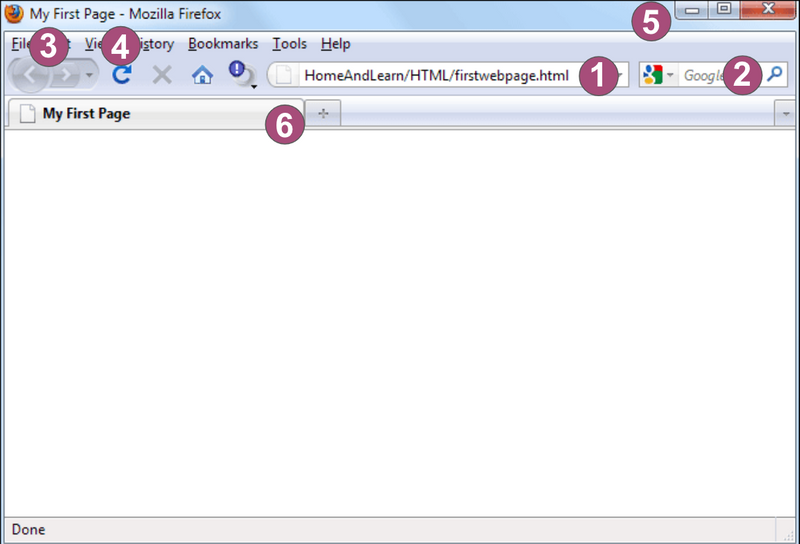
Address Bar. Where you type the website address or URL.
Search Bar. Use search keywords if you don't know the exact website address. Sometimes this is built-in to the Address Bar.
Back and Forward. Quickly go to the previous web page you were on, and then move ahead to where you were.
Refresh. Reload the web page you're on.
Exit, Minimize, and Maximize. These buttons allow you to close the browser, make it small on your screen, or take up the full space.
Tabs. Tabs allow you to keep more than one web page open in the same browser.
Check Your Understanding: 1
Look at the image of the browser to answer the question below.
سوال
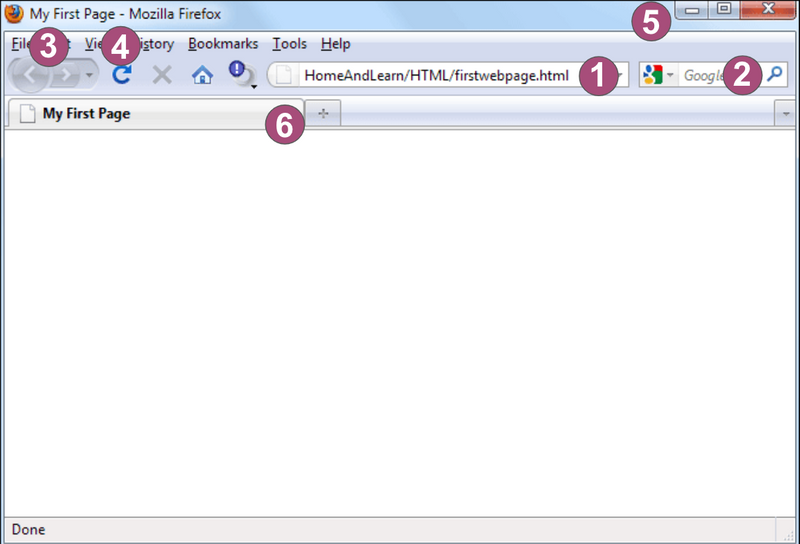
Which part of the browser would you use to reload the page?
#4, the Refresh button allows you to reload a page. This allows you to see changes, or can help to fix an issue if the page didn't load correctly.
Check Your Understanding: 2
Look at the image of the browser to answer the question below.
سوال
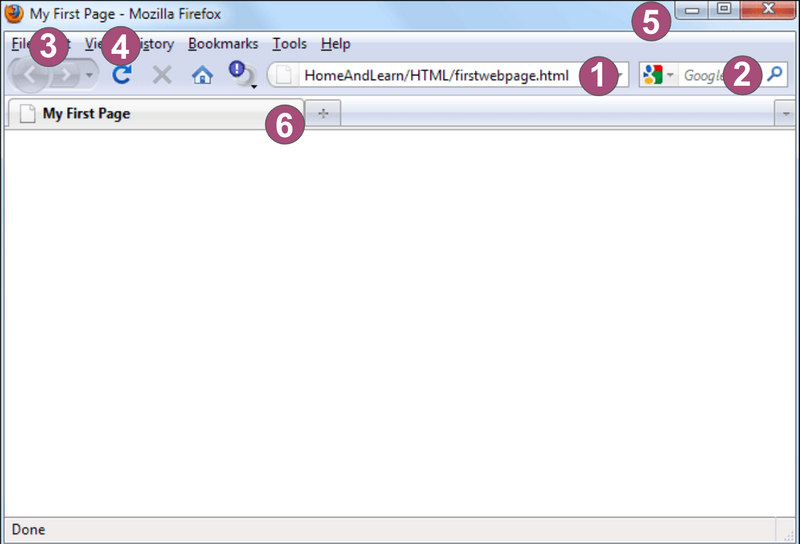
In which part of the browser would you type the website address?
Type the website address in #1, the address bar. In many browsers, you can also put in keywords for a search if you do not know the exact web address.
Check Your Understanding: 3
Look at the image of the browser to answer the question below.
سوال
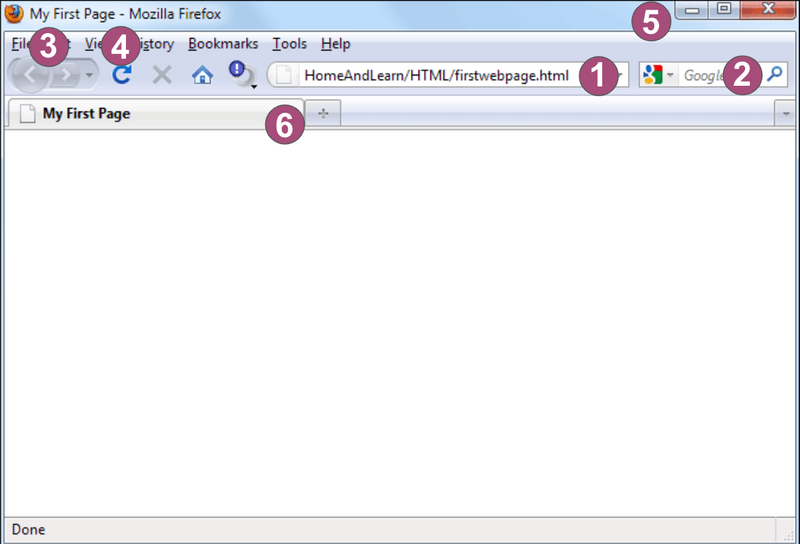
Which part of the browser would you use to increase the size of the window?
The maximize button (+) in #5 allows you to increase the size of the browser window on your screen.
Take Action
Now that you know the main parts of a web browser, teach a friend!
Without looking at this Byte, show a friend the 6 main parts of a web browser. This is a great way to make sure you remember it, and allows your friend to learn something new.

به کوشش
Sam Zimmer
Rumie Director of Learning