
Imagine this...
You're a Product Manager for a growing task management app. At first, your app was just a simple task board, but now it is expanding into a full team workspace.
Your calendar fills up with meetings, questions, and files to write. Engineers ask about database rules, sales asks how to demo features, and executives ask for business metrics.

At first, answering questions from memory was fast and easy. But now, answering the same questions repeatedly wastes hours of team time.
Your Senior PM pulls you aside and says, "Stop trying to memorize everything. You need a simple documentation strategy. Link high-level goals directly to feature specs so teams can find their own answers."

Step 1: Move from Memory to Documentation 📄
You are building a "Task Priority Tags" feature for your main dashboard. Right after you announce the feature, developers flood your chat with 15 separate messages asking the same question: "How do priority filters work after a user completes a task?"

Answering these one by one kills developer momentum and slows down your overall sprint velocity.
 What NOT to Do
Reply to individual chat messages as soon as questions pop up.
Schedule quick answer calls until you've logged the main questions in one place.
 What to Do
Build a Product Requirements Document (PRD).
Create a reusable PRD template so every feature starts in a shared hub from day one.
What is a Product Requirements Document (PRD)?
A PRD is the single source of truth for a feature. It stores goals, user problems, priority rules, and wireframes. It explains the "What" and "Why" so teams stay aligned without daily meetings.
How to Use a PRD
Instead of answering questions individually, write rules in a shared hub (like Notion or Confluence). If new questions pop up, hold one brief call to clarify edge cases, then immediately update the PRD.
 Quiz: Stop Repeated Questions
Scenario: You're adding a "Notification Center" to your dashboard so users get alerts when tasks are assigned. Developers start asking multiple questions about alert trigger rules.
How should you establish a single source of truth?
A. Post a message in the chat channel summarizing the main rules and asking developers to thread their questions there.
B. Build a central Notification Center PRD detailing trigger rules and user permissions, then post the link in the team workspace.
C. Send individual chat messages to each developer with code snippets for their specific tasks, and compile those messages into a PRD later.
D. Write a quick summary page in the workspace listing basic notification rules, but leave out edge cases like offline delivery.
Quiz
How should you establish a single source of truth?
Did you know?
Step 2: Match Documentation to the Project Phase ⏳
You're building an "Automation Builder." You send one long, complex document to everyone during early planning. Developers get confused by high-level marketing text, while leadership gets lost in technical database rules.

Sending the wrong document at the wrong stage leads to misaligned teams and delays your time-to-market.
 What NOT to Do
Do not send a single "do-it-all" document across every stage of the product lifecycle.
Do not answer stage-specific questions using long, unstructured files.
 What to Do
Adapt your documentation format to match the current project phase (Discovery, Build, or Launch).
Ensure your documentation answers the primary questions unique to that specific phase.
 File Structure per Phase
Discovery phase: Focus on strategic buy-in. Write a 1-page summary covering the Problem Statement, Target User, and Expected Business Metrics.
Build phase: Focus on execution. Create detailed specs covering User Stories, Wireframes, API Rules, Error Handling, and Testing Criteria.
Launch phase: Focus on user adoption. Prepare materials covering Feature Perks, Demo Scenarios, Release Dates, and Troubleshooting Guides.
 Quiz: Document Selection
Scenario: Your app's Automation Builder is moving from internal development to an upcoming public launch. The Sales team asks for materials to prepare client demos.
Which document provides the exact information they need for this phase?
A. A detailed file containing technical system limits and integration setup steps.
B. The early-stage Opportunity Brief covering market research, target user pain points, and revenue goals.
C. A customer-facing Release Notes summary highlighting key feature perks, use cases, and official launch dates.
D. A customer support onboarding guide explaining backend error codes, account settings, and troubleshooting steps.
Quiz
Which document provides the exact information they need for this phase?
Step 3: Write in Plain Language 💯
You're creating an "Analytics Reports" feature. You write a feature specification, but developers keep asking what certain phrases mean. Later, you discover they built the wrong feature logic because they made guesses while trying to understand vague sentences.
Unclear specs increase your rework rate and lead to high bug counts during QA testing.
What NOT to Do
Use local slang, idioms, or vague phrases when writing technical specs.
Publish dense blocks of text that force readers to guess required actions.
What to Do
Write requirements in short, simple English to prevent miscommunications and rework.
Format specifications clearly using direct, standardized formulas

Plain Language Rules for Clear Specs
Use standard formulas: Write requirements using standard User Story formulas like "As a [user type], I want [action] so that [benefit]."
Avoid idioms and slang: Replace vague expressions like "Clean house on old logs" with explicit actions like "Delete logs older than 30 days."
Be specific with edge cases: Clearly state what happens when errors occur (e.g., "If the internet disconnects, save data locally and retry in 60 seconds").
Quiz: Clear Requirements
Scenario: You're writing specs for an international developer team building a Time Tracking feature.
Which sentence format prevents misunderstandings and guesswork?
A. As a user, I want to make sure the system cleans house on temporary timer data regularly.
B. As a user, I want the system to delete temporary timer logs every 24 hours so my screen stays organized.
C. As a user, I want the timer to work smoothly without any weird bugs during user actions.
D. As developers, we want to figure out the best way to handle old timer data when the database gets full.
Quiz
Which sentence format prevents misunderstandings and guesswork?
Subscribe for more quick bites of learning delivered to your inbox.
Unsubscribe anytime. No spam. 🙂
Step 4: Connect Documents 🔗
Your app now includes Dashboards, Automations, and Analytics. You are building a "Gantt Chart Module." An engineer asks where to find design links and API rules, sending you on a 20-minute search through old chat messages.
A connected workspace cuts engineering onboarding time and keeps teams focused.
What NOT to Do
Leave links to designs or API rules scattered across random chat threads.
Create isolated documents that do not link back to the main workspace.
What to Do
Place design, Jira, and technical links directly inside your master PRD.
Organize your digital drives into a clear folder hierarchy (Roadmap → PRD → User Stories → Release Notes) that reflects product progress.
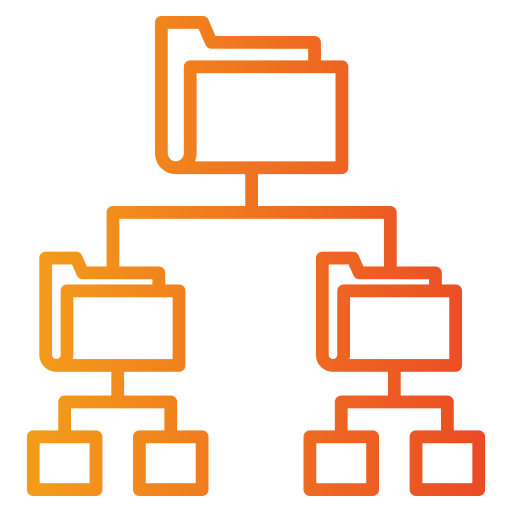 Folder Hierarchy & Linking System
📁 Product Workspace (Google Drive / Notion)
├── 📁 01_Discovery (Opportunity Briefs & Research)
├── 📁 02_Features_In_Build (Active PRDs & User Stories)
└── 📁 03_Launch_Ready (Release Notes & Guides)
One file per feature: Give every major feature its own PRD file (e.g., Gantt-Chart-PRD).
Master hub linking: Link every individual PRD back to your top-level Product Workspace Hub.
Tradeoff & decision log: Place a 3-column table (Date | Decision Made | Reason & Tradeoffs) at the top of your PRD. This documents why choices were made for future team members.
 Quiz: Complete Workspace
Scenario: Six months after launching a feature, a new engineer asks why offline syncing is disabled and proposes a total rebuild.
How can you save weeks of wasted work?
A. Host a review meeting with senior tech leads to re-evaluate offline syncing requirements files.
B. Check the PRD's Decisions & Tradeoffs table, showing offline syncing was intentionally delayed due to database limits.
C. Search previous pull request comments in GitHub to trace why offline syncing code was omitted.
D. Ask the former engineering lead to clarify the original decision in a new file.
Quiz
How can you save weeks of wasted work?
Did you know?
Take Action

Your feedback matters to us.
This Byte helped me better understand the topic.