
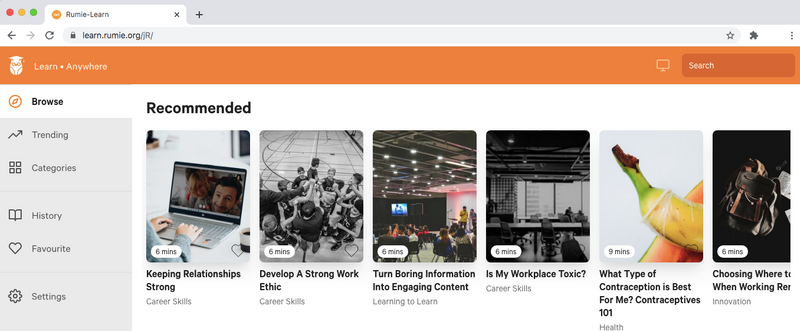
1) Navigate To The Website You Want To Bookmark
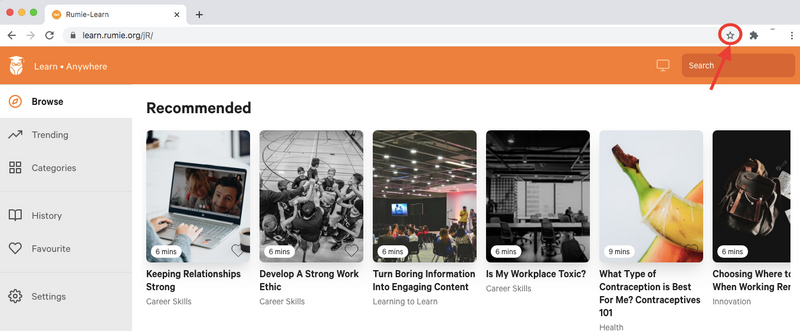
2) Click The Star To The Right Of The Web Address
You can also use Command + D (mac) or Control + D (PC) on your keyboard!
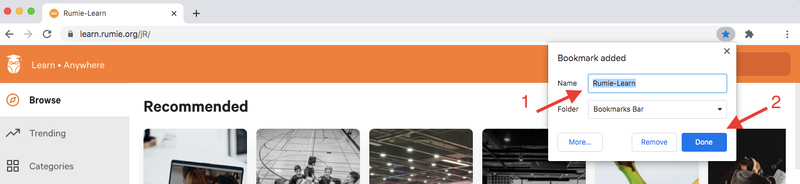
3) Name And Save Your Bookmark
You should rename your bookmark something you'll remember, then click "Done" to save it.
If you want to save lots of bookmarks, you can use folders to put them into different categories (such as "learning" "recipes" "social media" etc).
برای دریافت درسهای مفید و مختصر ما در ایمیل خود، مشترک شوید.
در هر زمان میتوانید لغو اشتراک کنید. هیچ گونه اسپمی در کار نیست. 🙂
4) Your Bookmark Is Now Saved!
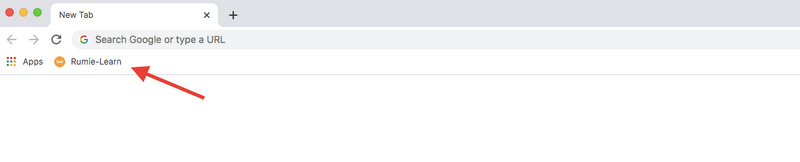
Click your new bookmark to access your favorite sites any time!
سوال
What are good websites to bookmark?
Take Action
Book marking is an easy way to find the information you need, quickly.
Don't forget to give your bookmark useful name when you save it, so you'll be able to find it again!
نظر دهی
This Byte helped me better understand the topic.